
Microsoft Teams Phone Agent brings AI-powered conversations into business calling. Depending on the product configuration, it can help handle caller questions, support certain requests, or route callers to the right person or team.
For businesses using Microsoft Teams Phone, that creates opportunities to automate routine interactions without asking every caller to navigate a traditional menu.
For global enterprises, there is another consideration. The AI handles the conversation, but calls still need to connect across countries, telephone numbers, employees, and communications platforms. The underlying voice environment therefore remains an important part of the deployment.
Key takeaways
- Teams Phone Agent is intended to use AI to support conversational call handling.
- It can help automate supported caller interactions and routing scenarios.
- Microsoft Copilot Studio can support custom conversational and voice-agent workflows.
- AI voice agents still depend on telephony, call routing, and voice quality.
- Global deployments also need to account for regional availability and international voice requirements.
What is Teams Phone Agent?
Teams Phone Agent is described as an AI-powered voice capability associated with Microsoft Teams Phone. It is intended to let callers interact with an automated assistant that can respond to questions and handle supported tasks.
A traditional auto attendant asks callers to choose from predefined options. An AI-enabled voice experience can create a more conversational interaction, allowing callers to explain what they need instead of relying only on a fixed menu.
Depending on the supported configuration, this could include answering common questions, assisting with certain requests, or routing calls to an appropriate person or call queue.
The features available to an organization may depend on licensing, tenant configuration, geography, integrations, and Microsoft's current service rollout. The Microsoft Teams Phone documentation and Microsoft Copilot Studio documentation provide further information on the wider Microsoft environment.
How does Teams Phone Agent work?
Teams Phone Agent works within the wider Teams Phone and telephony environment. Organizations configure how callers reach the service, what the agent supports, and where calls go when human assistance is required.
A typical interaction might look like this:
1. A caller phones the business
The call reaches the configured service through the organization's telephone number and call-routing setup.
2. The agent interprets the request
The caller explains what they need and the AI responds within its configured scope.
3. The agent handles the request or routes the call
It could provide information, support another configured workflow, or direct the caller toward an appropriate destination.
4. An employee takes over when needed
Where the configuration supports it, the call can move into the organization's wider call-routing environment.
Microsoft provides additional information about related routing components in its documentation for Teams auto attendants and call queues. 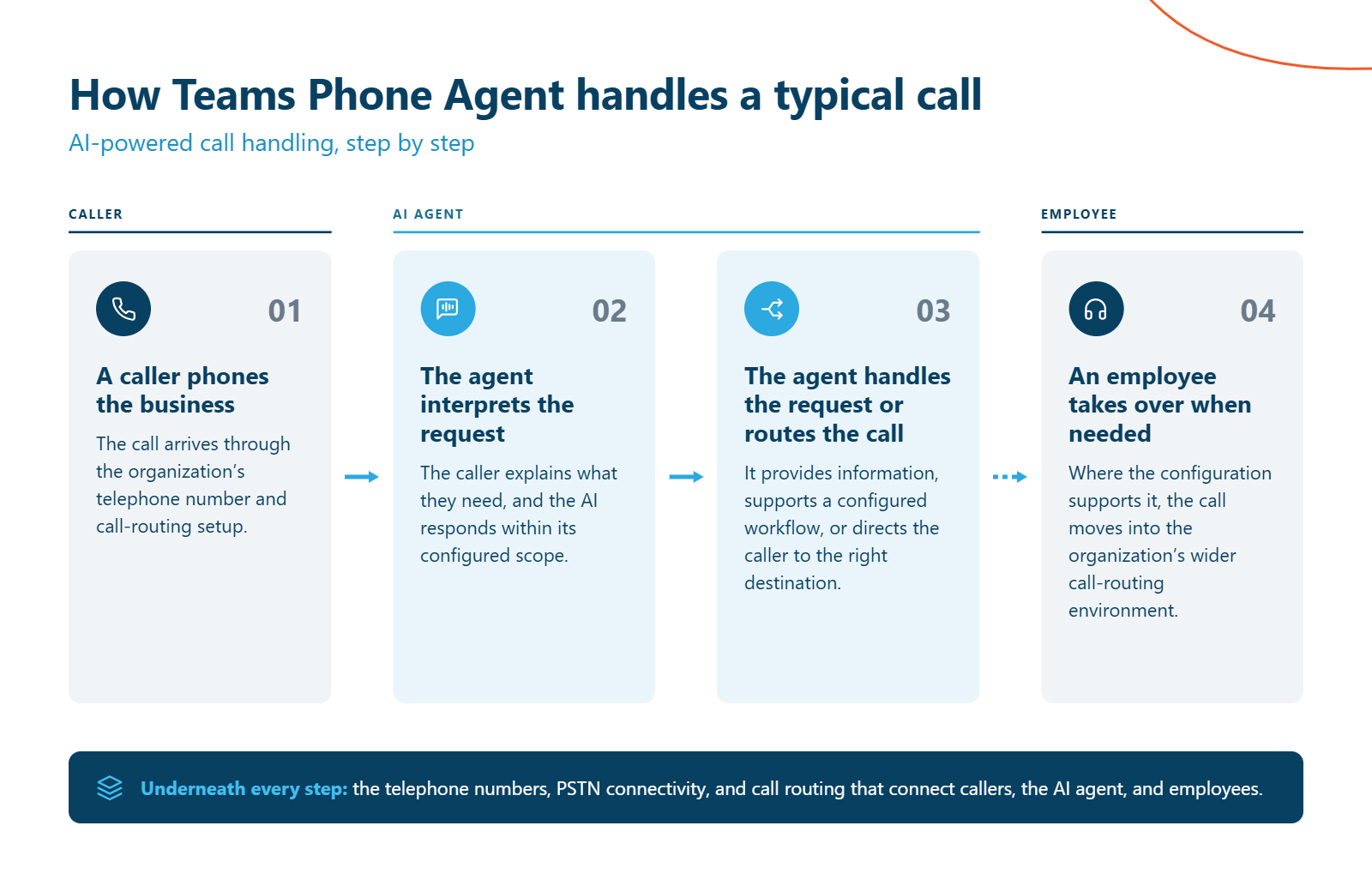
What can Teams Phone Agent be used for?
AI voice agents are best suited to repeatable phone interactions that do not always require an employee to respond personally.
Potential use cases include:
| Use case | How an AI voice agent may help |
| General inquiries | Respond to supported questions using configured information |
| Appointment requests | Support appointment-related workflows where the required capability is available |
| Call routing | Direct callers toward the appropriate person or queue |
| After-hours calls | Provide an automated point of contact |
| Customer service | Handle supported routine questions before escalation |
| Internal services | Help callers find the appropriate department or information |
For example, a customer calling to arrange an appointment could explain what they need rather than navigate several menu options. The agent could support the configured process or transfer the caller when further help is required.
The specific workflows available depend on the product configuration and integrations in place.
Teams Phone Agent vs. an auto attendant
A traditional auto attendant directs callers through predefined options. An AI-enabled experience adds the possibility of more conversational interactions.
| Capability | Traditional auto attendant | AI voice capability |
| Menu-based routing | Yes |
May work with configured routing |
| Conversational interaction | Limited | Designed for AI-driven conversation |
| Answering questions | Based on configured prompts | May support configured question-and-answer interactions |
| Appointment workflows | Not generally a core function | May support them where enabled |
| Call transfers | Through configured destinations | Depends on supported routing and configuration |
This does not remove the need for traditional call-flow planning. Businesses still need to define destinations, escalation paths, and what should happen when the AI cannot meet the caller's needs.
Microsoft provides more information on planning Teams auto attendants and setting up an auto attendant.
How does Copilot Studio fit in?
Microsoft Copilot Studio provides tools for creating and customizing agents, including voice capabilities and connections to external systems.
That can be relevant when an organization needs a more specialized conversational workflow. For example, a custom agent could potentially use permitted business data or integrations to support a particular interaction.
Organizations should confirm the supported architecture for the specific Teams Phone and Copilot Studio services they plan to use. A Copilot Studio capability should not automatically be treated as a Teams Phone Agent capability.
Microsoft provides guidance on creating agents with Copilot Studio, using voice capabilities, and connecting agents to external systems.
Why voice infrastructure matters for AI agents
An AI agent can interpret a caller's request, but it still depends on a wider communications environment to deliver the call.
Calls need to reach the right destination. Telephone numbers need to be available in the required markets. Transfers have to work, and audio needs to remain clear enough for both the caller and AI service.
For multinational enterprises, the picture becomes more complicated.
A business might use Microsoft Teams at headquarters, Zoom in one subsidiary, Webex elsewhere, and legacy telephony at another location. AI capabilities may sit within several of those platforms, while the enterprise still needs voice services to work across the wider environment.
Pure IP's Rakesh Unni explores this challenge in How to Choose Between Teams, Webex, and Zoom AI in 2026. For enterprises running several communications platforms, the question extends beyond which AI capability each application provides. Businesses also need to understand what happens across the voice and network environment connecting them.
The voice layer matters because calls still need to connect across users, platforms, telephone networks, and countries.
Where Pure IP fits
Pure IP provides enterprise voice services for multinational organizations. These services can support the wider telephony environment around Microsoft Teams Phone and AI-enabled calling.
The role of that infrastructure is different from the role of the AI agent itself. The AI may conduct the conversation, while the voice environment provides the telephone numbers, PSTN connectivity, and routing required to connect it with callers and employees.
For an international enterprise, that means looking at AI and voice architecture together. A deployment may need to accommodate several countries and existing communications platforms.
Microsoft supports different approaches to PSTN connectivity, including Operator Connect and Direct Routing. The appropriate approach depends on the organization's deployment requirements.
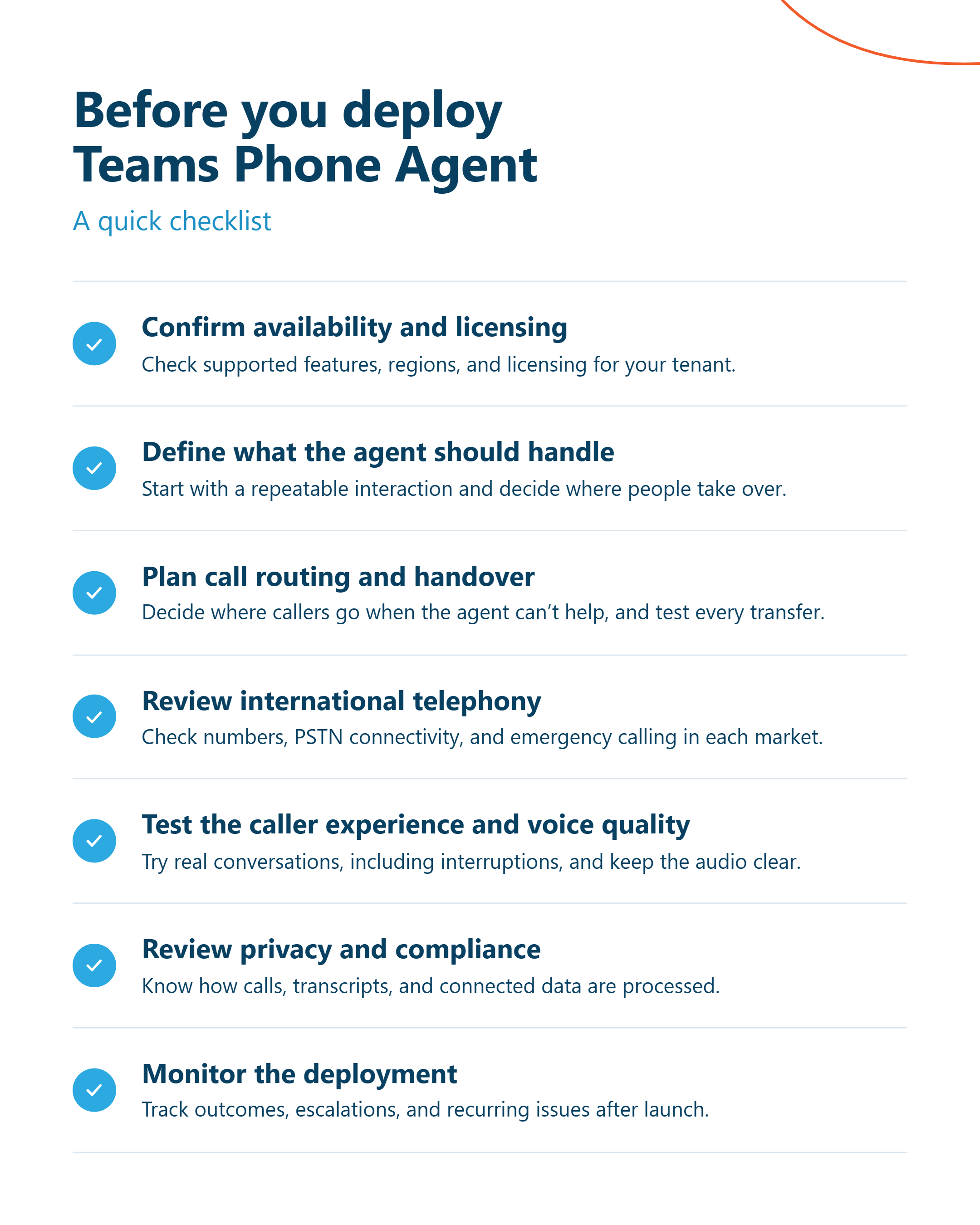
What should businesses consider before deploying Teams Phone Agent?
A successful deployment starts with understanding both the AI use case and the communications environment supporting it.
1. Confirm availability and licensing
Identify the Microsoft service being evaluated and check its supported features, regions, tenant requirements, and licensing. Microsoft provides separate guidance covering Teams Phone licensing and Copilot Studio licensing.
2. Define what the agent should handle
Start with a repeatable interaction and establish where the boundary sits between automation and human assistance.
3. Plan call routing and handover
Decide where callers go when the agent cannot complete a request. Test the complete call flow, including transfers and escalation.
4. Review international telephony
Global deployments need to consider number availability, PSTN connectivity, emergency calling, regulatory requirements, and routing in each market. Microsoft's Operator Connect country and region guidance provides information relevant to that connectivity model.
5. Test the caller experience and voice quality
An AI agent has to handle real conversations, including unclear requests, interruptions, silence, transfers, and unexpected questions. Voice quality also matters because degraded audio can affect how effectively callers and AI systems communicate.
6. Review privacy and compliance
Organizations should establish how calls, transcripts, recordings, prompts, and connected business data are processed and accessed within their chosen services.
7. Monitor the deployment
Review call outcomes, escalations, recurring problems, and available diagnostic information after launch. Microsoft's Teams Phone analytics and reporting documentation provides information about Teams calling analytics
 Frequently asked questions about Teams Phone Agent
Is Teams Phone Agent the same as Microsoft Copilot?
No. Teams Phone Agent and Microsoft Copilot should not be treated as interchangeable product names.
Copilot Studio provides tools for creating and customizing agents in supported scenarios. The exact relationship between those agents and Teams Phone depends on Microsoft's supported architecture.
See the Copilot Studio overview for more information.
Can Teams Phone Agent transfer calls to a person?
Call transfer depends on the Teams Phone Agent, telephony, and routing configuration being used. Organizations should confirm supported destinations and test escalation before deployment.
Microsoft's Teams call queue guidance provides more information on queue-based call handling.
Does Teams Phone Agent work internationally?
International deployment depends on the availability of the AI service and the underlying telephony environment.
Organizations should check regional availability alongside telephone numbers, PSTN connectivity, regulatory requirements, and emergency-calling obligations. Microsoft's PSTN connectivity documentation and Teams Phone country and region guidance can help with that assessment.
Can Pure IP support a global Microsoft Teams Phone deployment?
Pure IP provides enterprise voice services for multinational Teams Phone environments. The specific connectivity model, countries, telephone numbers, integrations, and implementation requirements depend on the deployment.
For enterprises adopting AI voice capabilities, Pure IP can support the wider voice environment around Teams Phone. The goal is to make sure the calling architecture is considered alongside the AI experience.
Final thoughts
Teams Phone Agent adds conversational AI to business calling, giving organizations another way to handle suitable phone interactions and connect callers with the help they need.
For global enterprises, the deployment goes beyond the AI agent. Telephone numbers, PSTN connectivity, call routing, voice quality, regional requirements, and existing communications platforms all form part of the wider picture.
Pure IP can support the voice infrastructure around these deployments, helping multinational organizations connect Microsoft Teams Phone across international markets.
Learn more about Pure IP's global Microsoft Teams Phone services and explore the voice architecture required for your AI calling strategy.